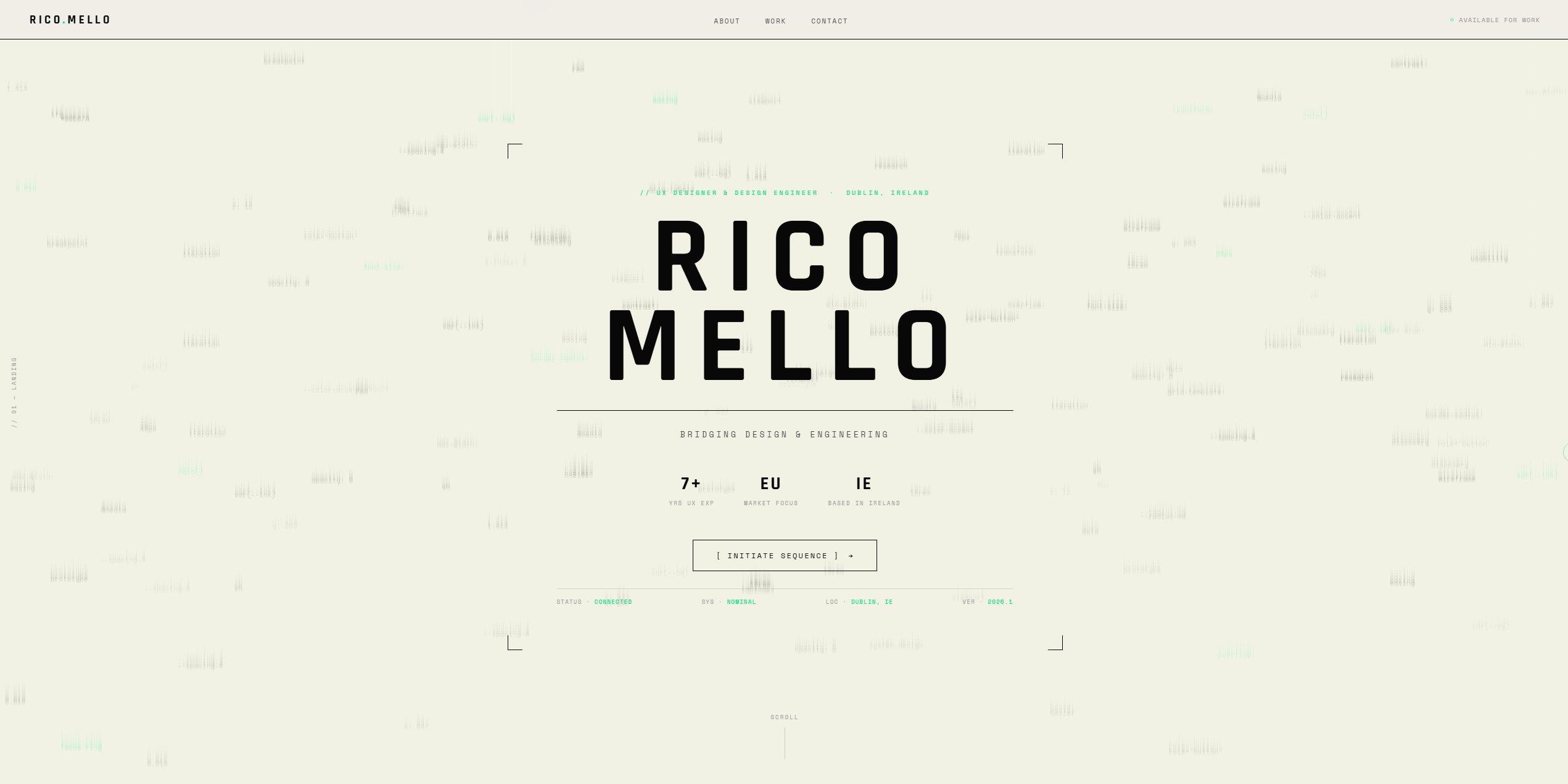
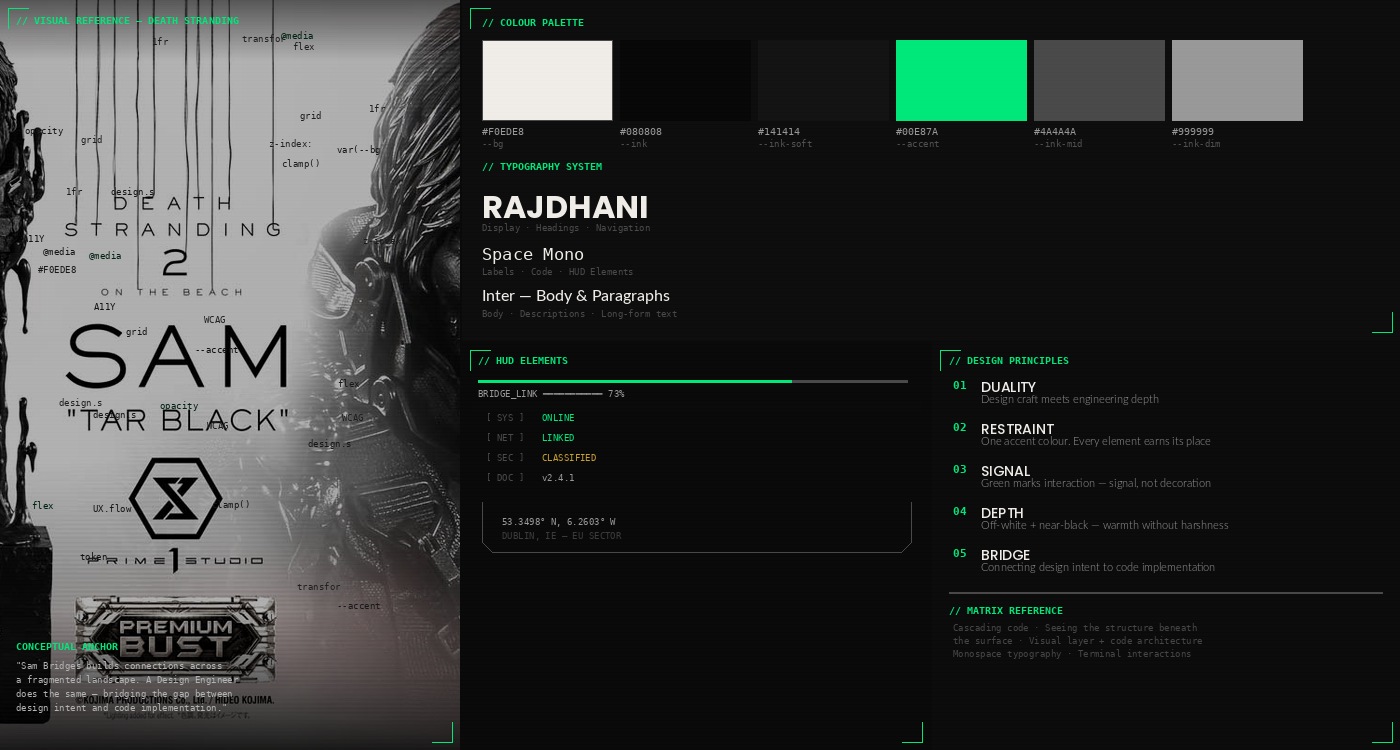
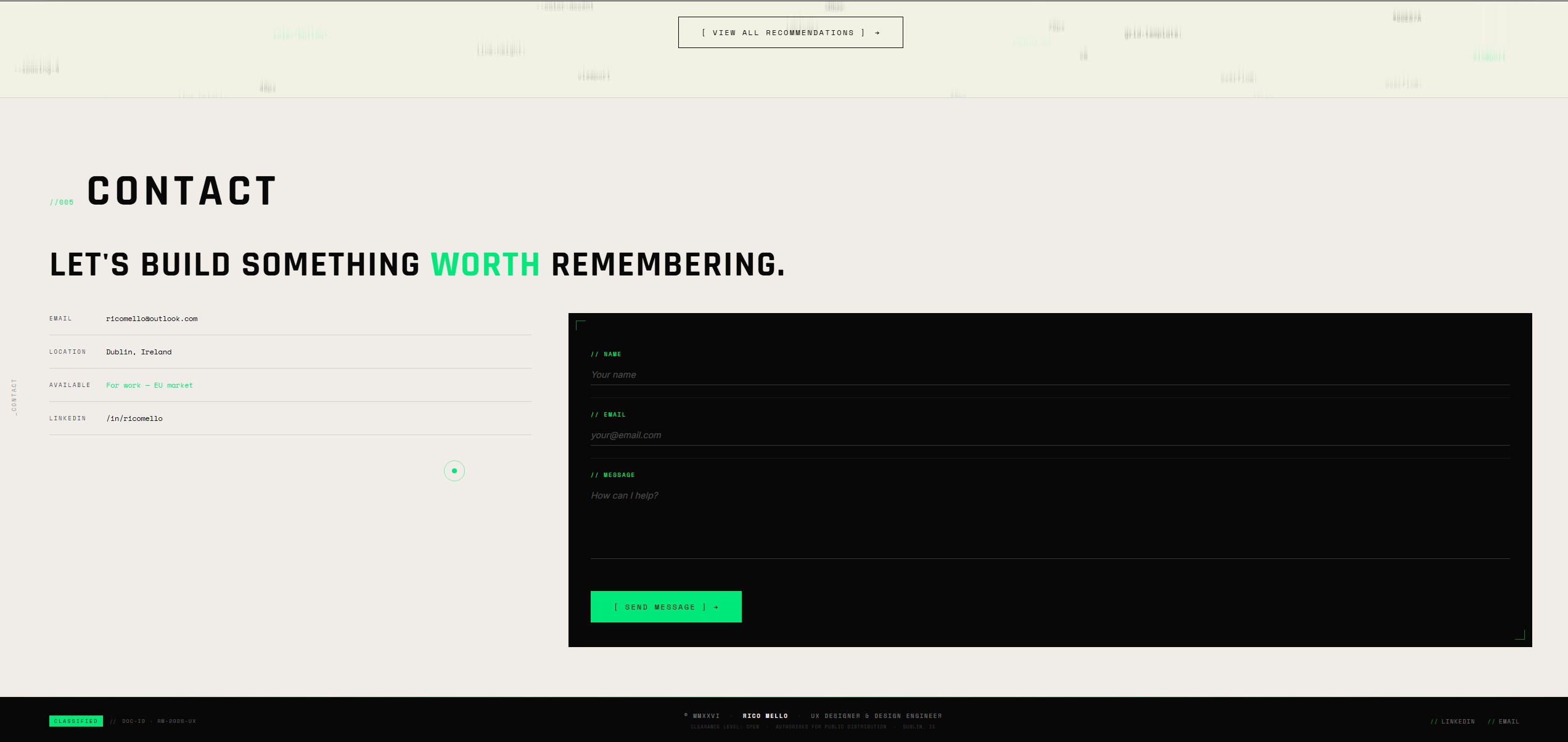
The visual identity needed to communicate duality — design craft and technical depth. I looked beyond the design industry for references, finding the most resonant metaphors in gaming and cinema.
Death Stranding became the conceptual anchor. In the game, Sam Bridges literally builds connections across a fragmented landscape. That's what a Design Engineer does — bridges the gap between design and engineering, between intent and implementation. The game's HUD elements, scan-line effects, and utilitarian aesthetic informed the portfolio's visual language.
The Matrix added the second layer. The cascading code, the idea of seeing the underlying structure beneath the surface. As a design engineer, I operate at both levels — the visual layer users experience and the code architecture beneath it. The code cascade background, the monospace typography, and the terminal-inspired interactions all trace back to this reference.
These references translated into concrete design decisions:
- Off-white background (#F0EDE8) rather than pure white — warmth with restraint
- Near-black (#080808) instead of pure black — depth without harshness
- Bio-luminescent green (#00E87A) as the brand accent — signal, not decoration. Paired with a darker variant (#008C50) for text on light surfaces (WCAG AA)
- Corner brackets and HUD elements as structural ornaments
- Custom cursor with ring — precision, intentionality
- Code tokens as the cascade background — design is code, code is design